
Learn to Center Title in Appbar widget of your Flutter app, creating a polished and visually appealing user interface for your mobile applications.
Here we are going to use 6 different ways to convert integer values to double data types with examples and explanations.
In this guide, we are going to use 4 different ways to center the title in AppBar in Flutter and also copy the full source code to the center of the body and title text.
Follow the official documentation to set up Flutter: Flutter Installation Guide.
Table of Contents

4 Ways to Center Title in Appbar in Flutter
In Flutter, you can center the title in the AppBar using various methods. Here’s how you can achieve it using different approaches:
1. Using the centerTitle Property
Flutter provides a centerTitle property within the AppBar widget that allows you to center the title text.
   AppBar(
     centerTitle: true,
     title: Text('Centered Title'),
   )
2. Customizing Title Alignment
You can use the title property of the AppBar to place any widget you want, such as a Center widget, to achieve the same effect.
   AppBar(
     title: Center(
       child: Text('Centered Title'),
     ),
   )
3. Using the FlexibleSpace Property
You can wrap the title within the FlexibleSpace widget and set its alignment to centerTitle.
   AppBar(
     flexibleSpace: Center(
       child: Text('Centered Title'),
     ),
     centerTitle: true,
   )
4. Customizing AppBar Height
You can customize the height of the AppBar and then center the title using a Center widget within the PreferredSize widget.
   AppBar(
     title: PreferredSize(
       preferredSize: Size.fromHeight(60.0), // Adjust the height as needed
       child: Center(
         child: Text('Centered Title'),
       ),
     ),
   )
Each of these methods accomplishes the same goal of centering the title within the AppBar in Flutter. Choose the one that best fits your design preferences and requirements.
Check Out:
- How to Add Border to Card in Flutter?
- How to Add Custom Fonts in Flutter?
- How to Create a Drop-Down in Flutter?
Full Code to Center Title in AppBar in Flutter
import 'package:flutter/material.dart';

void main() {
  runApp(MyApp());
}

class MyApp extends StatelessWidget {
  @override
  Widget build(BuildContext context) {
    return MaterialApp(
      home: Scaffold(
        appBar: AppBar(
          // Centering the title
          centerTitle: true,
          // Title of the AppBar
          title: Text('AppOverride Center'),
        ),
        body: Center(
          child: Text('AppOverride Centered Title Example'),
        ),
      ),
    );
  }
}
Output
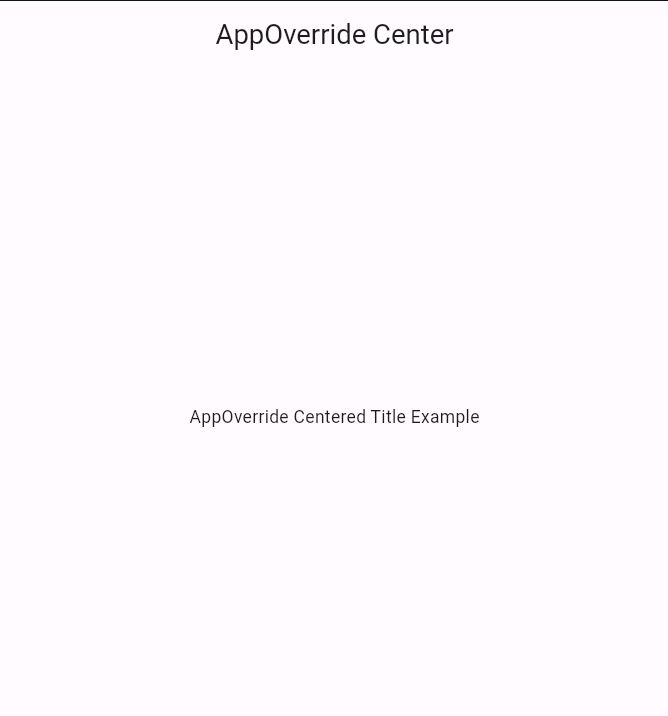
Bottom Line
These Flutter methods all achieve the same outcome: placing the title in the center of the AppBar. The best choice depends on your design style and project needs.

Thanks that helps me