How to Create Expansion List in Flutter?

This blog will guide you through the usage of Expansion List in Flutter, including practical examples to demonstrate its flexibility and functionality.
Among the numerous widgets it offers, the ExpansionTile widget stands out for its ability to create expandable lists, which are particularly useful for displaying hierarchical information or lists of items that users can expand and collapse to reveal more details.
Table of Contents
- What is an Expansion List in Flutter?
- Basic Usage – Flutter Expansion List
- Explanation
- Customizing Flutter Expansion List
- Explanation
- Flutter Expansion List with Dynamic Content
- Explanation
- Flutter Expansion List with Nested ExpansionTiles
- Explanation
- Conclusion
What is an Expansion List in Flutter?
An ExpansionTile is a widget that creates a single expandable list item. When the tile is tapped, it expands to reveal its children. This is particularly useful for scenarios where you need to display a large amount of information in a compact and organized manner.
Basic Usage – Flutter Expansion List
To create a basic ExpansionTile, you only need a few lines of code. Here’s an example:
import 'package:flutter/material.dart';

void main() => runApp(MyApp());

class MyApp extends StatelessWidget {
  @override
  Widget build(BuildContext context) {
    return MaterialApp(
      home: Scaffold(
        appBar: AppBar(title: Text('Basic ExpansionTile')),
        body: ListView(
          children: <Widget>[
            ExpansionTile(
              title: Text('Expand me'),
              children: <Widget>[
                ListTile(title: Text('Child 1')),
                ListTile(title: Text('Child 2')),
                ListTile(title: Text('Child 3')),
              ],
            ),
          ],
        ),
      ),
    );
  }
}
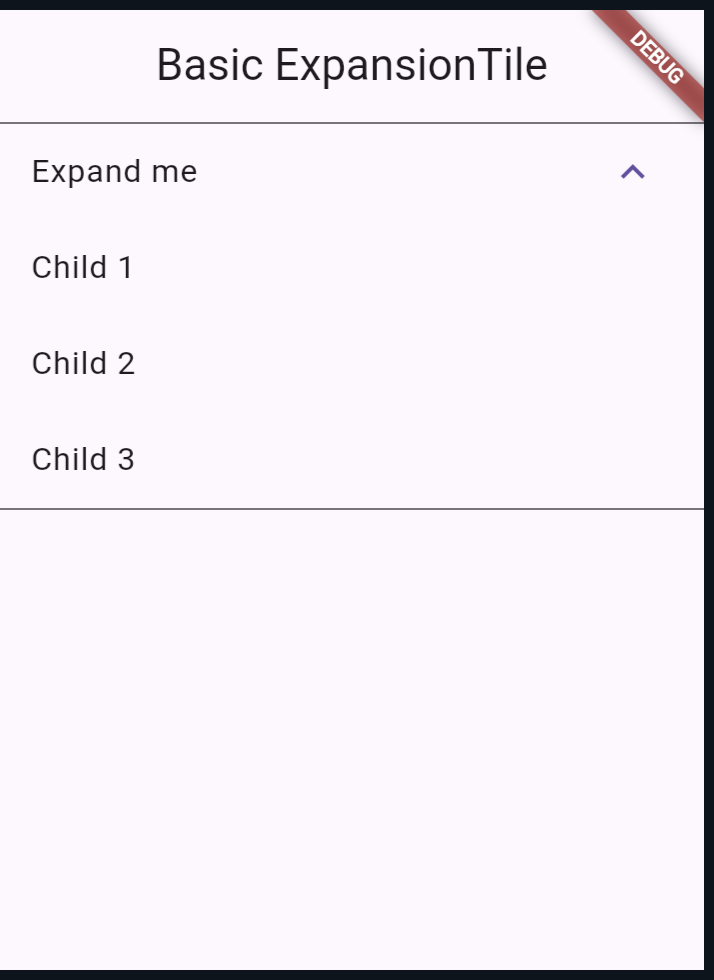
Output:
Explanation
In this example, the ExpansionTile has a title and three child ListTile widgets. When the ExpansionTile is tapped, it expands to reveal the child tiles.
Customizing Flutter Expansion List
You can customize the appearance and behavior of the ExpansionTile to fit your needs. For example, you can change the background color, initially expanded state, and trailing icon:
import 'package:flutter/material.dart';

void main() => runApp(MyApp());

class MyApp extends StatelessWidget {
  @override
  Widget build(BuildContext context) {
    return MaterialApp(
      home: Scaffold(
        appBar: AppBar(title: Text('Custom ExpansionTile')),
        body: ListView(
          children: <Widget>[
            ExpansionTile(
              title: Text('Expand me'),
              backgroundColor: Colors.lightBlueAccent.withOpacity(0.1),
              initiallyExpanded: true,
              trailing: Icon(Icons.arrow_drop_down_circle),
              children: <Widget>[
                ListTile(title: Text('Child 1')),
                ListTile(title: Text('Child 2')),
                ListTile(title: Text('Child 3')),
              ],
            ),
          ],
        ),
      ),
    );
  }
}
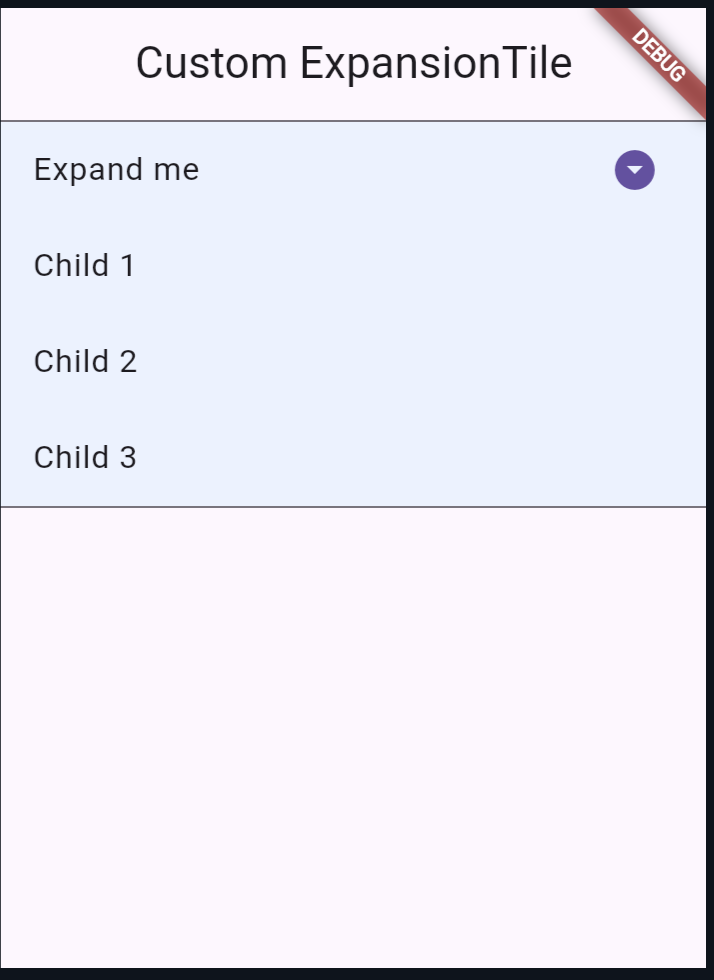
Output:
Explanation
In this example, the ExpansionTile is customized with:
backgroundColor: Sets the background color when expanded.initiallyExpanded: The tile is initially expanded.trailing: A custom icon is used for the trailing indicator.
Flutter Expansion List with Dynamic Content
Sometimes, you might need to populate the ExpansionTile dynamically based on data. Here’s an example using a list of items:
import 'package:flutter/material.dart';

void main() => runApp(MyApp());

class MyApp extends StatelessWidget {
  final List<String> items = List<String>.generate(10, (i) => 'Item $i');

  @override
  Widget build(BuildContext context) {
    return MaterialApp(
      home: Scaffold(
        appBar: AppBar(title: Text('Dynamic ExpansionTile')),
        body: ListView(
          children: items.map((String item) {
            return ExpansionTile(
              title: Text(item),
              children: <Widget>[
                ListTile(title: Text('$item details')),
              ],
            );
          }).toList(),
        ),
      ),
    );
  }
}
Explanation
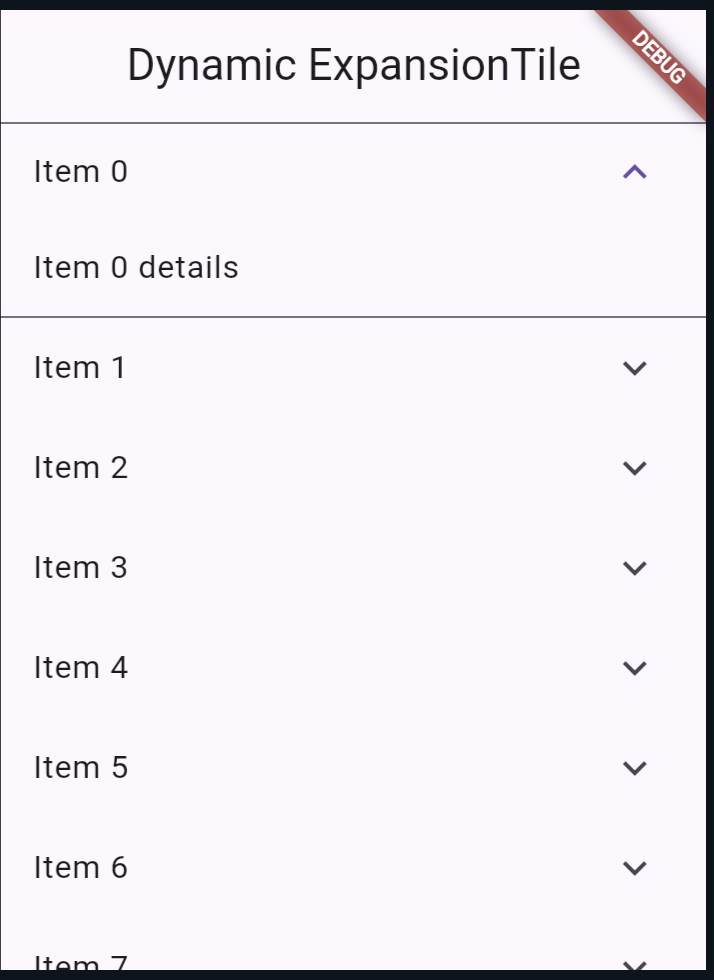
In this example, the ExpansionTile is created dynamically for each item in the items list. When an item is expanded, it reveals a ListTile showing details for that item.
Flutter Expansion List with Nested ExpansionTiles
For more complex UIs, you might need nested ExpansionTile widgets. Here’s how you can achieve this:
import 'package:flutter/material.dart';

void main() => runApp(MyApp());

class MyApp extends StatelessWidget {
  @override
  Widget build(BuildContext context) {
    return MaterialApp(
      home: Scaffold(
        appBar: AppBar(title: Text('Nested ExpansionTiles')),
        body: ListView(
          children: <Widget>[
            ExpansionTile(
              title: Text('Parent Tile'),
              children: <Widget>[
                ListTile(title: Text('Child 1')),
                ListTile(title: Text('Child 2')),
                ExpansionTile(
                  title: Text('Nested Tile'),
                  children: <Widget>[
                    ListTile(title: Text('Nested Child 1')),
                    ListTile(title: Text('Nested Child 2')),
                  ],
                ),
              ],
            ),
          ],
        ),
      ),
    );
  }
}
Explanation
In this example, an ExpansionTile contains another ExpansionTile as one of its children, This structure allows for the creation of complex and hierarchical data displays.
Output:
Also read:
Conclusion
The ExpansionTile widget in Flutter is a powerful and versatile tool for creating expandable lists. Whether you need a simple expandable item or a complex, nested structure, ExpansionTile can help you organize your data efficiently.
By understanding and leveraging the customization options available, you can create intuitive and user-friendly interfaces for your applications.

About Ambika Dulal
Lead Mobile App Developer and Tech Consultant specializing in Flutter, Dart, and Firebase.